Music for offices
Office music that helps people focus, not listen
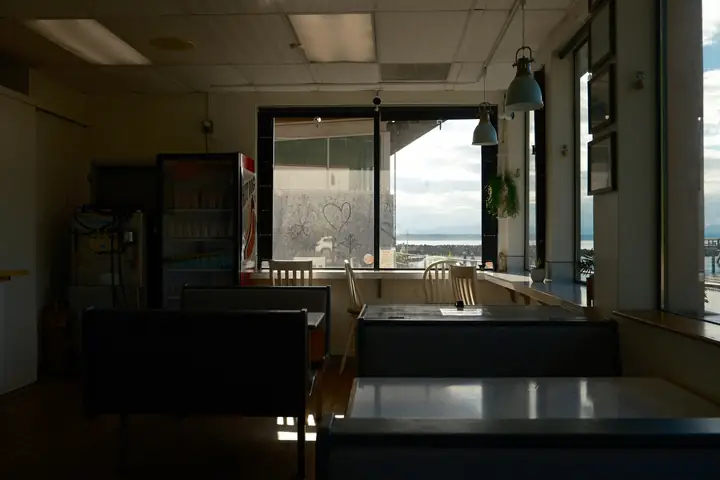
In an office, background music is a matter of etiquette. People are concentrating, on calls or in meetings, and not everyone wants music at all. Where it works is in the shared spaces: a reception where visitors wait, a kitchen and lounge where silence feels awkward, a coworking floor that needs a little warmth.
Tunelay lets you put calm, mostly instrumental music exactly where it helps and nowhere else. Each space is a zone with its own schedule and a low volume ceiling, and the music stops by itself outside working hours, so nobody has to own it.
Why office music causes friction
Music in a workplace is either quietly helpful or a constant low-level annoyance.
Lyrics and focus don’t mix
Vocals pull attention away from reading and writing. A playlist chosen for a party atmosphere makes concentrated work harder.
One person’s volume is another’s distraction
Whoever sits nearest the speaker decides the level. Others put on headphones or stop using the shared space.
Silent receptions feel cold
Visitors waiting in a quiet reception hear every phone call and conversation nearby, which is uncomfortable for everyone.
Nobody owns it
Music in a shared office is everybody’s problem and nobody’s job, so it is either always on or never on.
Listen to this atmosphere
Moods for working spaces
Mostly instrumental, steady and unobtrusive, so music supports concentration rather than competing with it.
Preview clips are added once their promotional rights are documented.
Deep Focus
Minimal piano, soft electronics and slow textures for workspaces and quiet floors.
- Ambient
- Instrumental
Samples coming soon
Front Desk
Warm, polished instrumentals for receptions and waiting visitors.
- Jazz
- Instrumental
Samples coming soon
Kitchen Table
A friendlier, lightly rhythmic mix for kitchens, lounges and Friday afternoons.
- Lo-fi
- Acoustic
Samples coming soon
A typical office day
Music plays in shared spaces during working hours and stays off otherwise.
Arrivals
Front Desk
Reception welcomes the first visitors and colleagues with something calm.
Focus hours
Deep Focus
Coworking areas switch to minimal instrumentals at a low level.
Lunch in the kitchen
Kitchen Table
The kitchen zone gets a little more life while people eat together.
After hours
Silence
Music fades out at the end of the working day and stays off overnight and at weekends.
Times are an example — you set your own.
How it fits
How offices use Tunelay
Music only where it helps
Create zones for the reception, kitchen or coworking area and leave meeting rooms and desks out. Each zone has its own schedule.
A low ceiling on volume
Set a conservative maximum volume per zone. Anyone can turn it down on the tablet, but nobody can push it above the limit.
Off at night and at weekends
Your working hours are the office’s opening hours. Outside them the players are silent, so the office isn’t playing to an empty floor.
Facilities in control, not the loudest desk
Office or facilities managers change schedules in the dashboard; settings on the device need a manager PIN.
Example scenarios
Illustrative situations to show how the product behaves — not customer stories.
An all-hands meeting in the lounge
Once a month the lounge hosts a company meeting. The office manager pauses the lounge zone from its tablet for the hour, while reception plays as usual.
A coworking space with two floors
The ground floor café area runs Kitchen Table; the quiet floor upstairs runs Deep Focus at a lower limit. Both are managed from one dashboard.
Someone needs quiet for a call
A member with an urgent call to take pauses the coworking zone on the tablet and presses play again afterwards. Both actions are logged.
Setup
Setting up an office
- 1Choose the shared spaces that should have music — and those that shouldn’t.
- 2Add the office as a location and set working hours as its music hours.
- 3Pair a player in each chosen space using its on-screen code.
- 4Assign Deep Focus to work areas and warmer moods to reception or kitchen.
- 5Keep volume limits low and give the PIN to the office manager.
Frequently asked questions
Is the music instrumental?
The office moods are mostly instrumental and chosen to stay in the background. You can build your own playlists from approved tracks if you want something different.
Can we keep music out of meeting rooms?
Yes. Music only plays where you pair a player, and each zone has its own schedule.
Does it play at weekends?
Only if you include weekends in the office’s opening hours. Outside the hours you set, the players stay silent.
Can we run it on an office PC?
Yes. The player runs on Windows PCs and Android tablets, connected to the speaker you already use.
Keep exploring
Make your shared spaces feel right
Tell us which spaces you have and when they are used. We’ll suggest where music helps and where it doesn’t.