Music for hotels
One hotel, several rooms that each need their own sound
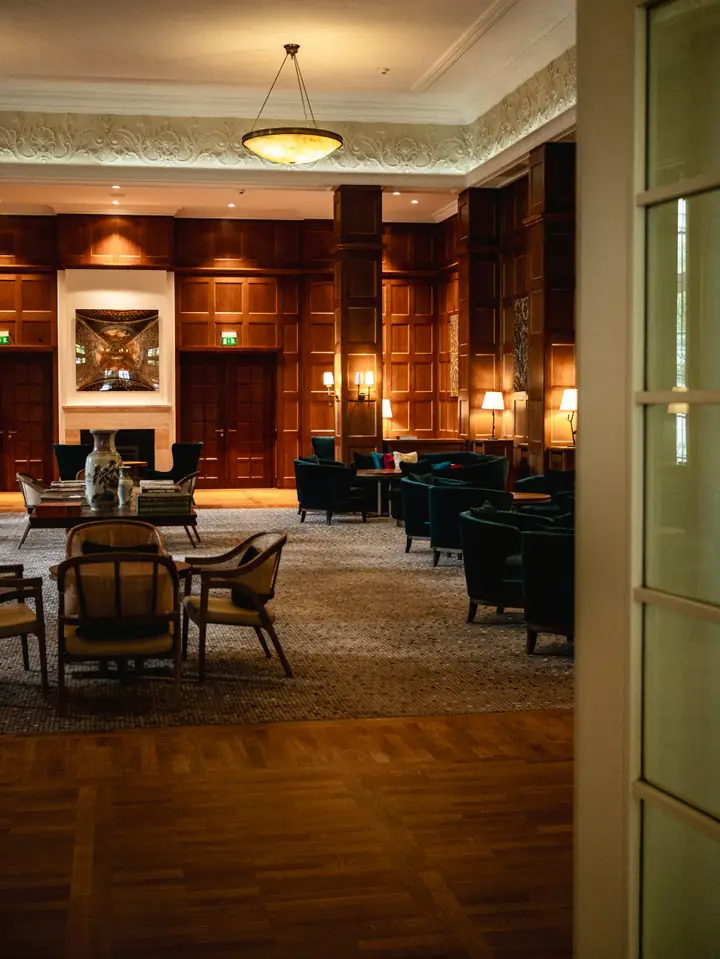
A hotel runs several venues under one roof. The lobby greets guests arriving at all hours, the breakfast room fills up for two busy hours each morning, the bar comes alive after dinner and the lounge in between wants something quieter. One playlist through every speaker suits none of them.
Tunelay treats each of those spaces as a zone with its own player, schedule and volume limit. The front-office or operations manager sees every zone in one dashboard, and each player keeps music cached locally, so a busy guest network or a router restart never leaves the lobby in silence.
Where hotel music falls apart
In hotels, music usually belongs to everybody and therefore to nobody.
The same playlist in the lobby and the bar
One system feeds every public area, so the breakfast room gets late-night lounge and the bar gets morning acoustic.
Night staff inherit the controls
The night porter finds the volume too high or the music stopped, and has no idea what is supposed to be playing or how to fix it.
Guest Wi-Fi takes the music down with it
When the guest network is saturated in the evening, streaming music in public areas starts buffering, exactly when the bar is busiest.
Head office can’t hear the property
Group brand standards describe a signature atmosphere, but nobody can check whether a property actually sounds like that.
Listen to this atmosphere
Moods for hotel spaces
Each mood is written for a specific space and time, so zones can follow their own day.
Preview clips are added once their promotional rights are documented.
Lobby Welcome
Polished, unobtrusive jazz and soul instrumentals for check-in and comings and goings.
- Jazz
- Soul instrumental
Samples coming soon
Breakfast Light
Bright acoustic and gentle bossa for guests waking up over coffee.
- Acoustic
- Bossa nova
Samples coming soon
Night Bar
Deeper grooves and downtempo for the bar and lounge after dinner.
- Downtempo
- Nu-jazz
Samples coming soon
A typical hotel day across zones
Every zone runs its own schedule. These are starting points for three of them.
Breakfast room
Breakfast Light
Bright for breakfast service; after half past ten the room’s schedule moves to a quieter mood.
Lobby, all day
Lobby Welcome
Steady and calm for arrivals and departures from early morning.
Bar opens
Night Bar
The bar zone starts its evening schedule and builds gently towards late service.
Music hours end
Silence
A ten-second fade-out at the end of the hotel’s music hours — the night porter can still choose Play anyway.
Times are an example — you set your own.
How it fits
How hotels use Tunelay
A zone per space
Lobby, breakfast room, bar, lounge, terrace: each gets a player on a tablet or PC, its own schedule and its own maximum volume. The dashboard lists them side by side.
Breakfast without a reminder
The breakfast room switches to its morning mood at half past six and changes to something quieter after service. Nobody has to remember either change.
Controls night staff can understand
Pause, skip and volume on the tablet are all the night team needs, and every action is logged with a time so the morning manager can see what happened.
A group standard you can check
For several properties, write one group schedule and adjust it per hotel with exceptions. Head office sees which players are online and what each zone is playing.
Example scenarios
Illustrative situations to show how the product behaves — not customer stories.
A wedding takes over the lounge
For one Saturday the lounge becomes a reception venue with its own band. The duty manager pauses the lounge player before the band starts and plays it again after the last dance, while the lobby and bar carry on as normal.
The guest network struggles on a full night
At nine in the evening the guest Wi-Fi is saturated. The bar player keeps playing from its cache, and the dashboard shows it reconnecting later without anyone noticing a gap.
A late check-in asks for quiet
A guest waiting in the lobby at midnight asks for quiet. The night porter pauses the lobby tablet; the log shows the pause, so the morning manager knows why the lobby was quiet.
Setup
Setting up a hotel
- 1List your public spaces and decide which ones should become zones.
- 2Add the hotel as a location, set its music hours and create a zone for each space.
- 3Pair one player per zone by entering the code each device shows on screen.
- 4Assign moods per zone — breakfast, lobby and bar usually need different ones.
- 5Set volume limits per zone and give duty managers the PIN, not the night team.
Frequently asked questions
Can the bar and the lobby play different music at the same time?
Yes. Each zone has its own player and schedule, so they are independent while being managed from one dashboard.
Does music depend on the guest Wi-Fi?
Only for updates. Music is cached on each device ahead of time, and new downloads wait until the connection is good without interrupting playback.
Can we keep music on all night in the lobby?
Music follows the hours you set for the hotel. Staff can use Play anyway after hours, which lasts until the next scheduled opening.
We have several hotels. Can head office control them?
Yes. A group schedule applies to every property, each hotel can have its own exceptions, and the dashboard shows the status of every zone.
Keep exploring
Map out the sound of your hotel
Tell us which spaces you have and when they are busy. We’ll sketch a zone-by-zone schedule with you.